كود:
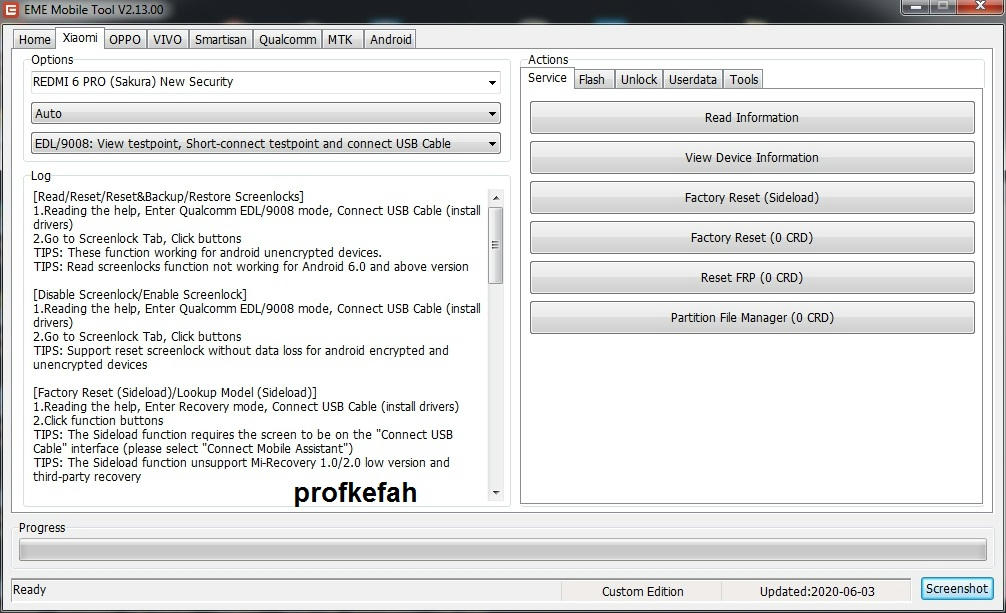
[Read/Reset/Reset&Backup/Restore Screenlocks]1.Reading the help, Enter Qualcomm EDL/9008 mode, Connect USB Cable (install drivers)
2.Go to Screenlock Tab, Click buttons
TIPS: These function working for android unencrypted devices.
TIPS: Read screenlocks function not working for Android 6.0 and above version


[Disable Screenlock/Enable Screenlock]
1.Reading the help, Enter Qualcomm EDL/9008 mode, Connect USB Cable (install drivers)
2.Go to Screenlock Tab, Click buttons
TIPS: Support reset screenlock without data loss for android encrypted and unencrypted devices


[Factory Reset (Sideload)/Lookup Model (Sideload)]
1.Reading the help, Enter Recovery mode, Connect USB Cable (install drivers)
2.Click function buttons
TIPS: The Sideload function requires the screen to be on the "Connect USB Cable" interface (please select "Connect Mobile Assistant")
TIPS: The Sideload function unsupport Mi-Recovery 1.0/2.0 low version and third-party recovery


[Read Userdata]
1.Reading the help, Enter Qualcomm EDL/9008 mode, Connect USB Cable (install drivers)
2.Go to Userdata Tab, Click "Read Userdata" button
TIPS: These function working for android unencrypted devices.


[Read Partition/Write Partition/Erase Partition]
1.Reading the help, Enter Qualcomm EDL/9008 mode, Connect USB Cable (install drivers)
2.Go to Partition Tab, Click Read GPT
3.Go to Partition Tab, Click buttons
TIPS: If the partition is encrypted, the mirror files also encrypted


Operation: Read Information
Selected Model: SAKURA
Platform: QUALCOMM

Waiting to Emergency mode device connect: OK
Port: COM257
Connect to device ... OK
Sending loader ... Failed.Invalid BootStrapFile.

Operation: Finished.

Operation: Read Information
Selected Model: SAKURA
Platform: QUALCOMM

Waiting to Emergency mode device connect: OK
Port: COM257
Connect to device ... OK
Sending loader ... OK
Connecting to Sahara ... OK
Reading configuration ... EMMC/512
Reading information ...
Reading partition table ... OK
Looking target partition ... OK
Analytical target partition ... OK
Manufactory: Meizu
Model: meizu note8
Codename: meizu_note8
HW Chip:
HW platform:
SW version: 1540138553
Android version: 8.1.0
API level: 27
Security patch: 2018-09-01
Encryption type: NONE
Build version: Flyme 7.1.6.0G
Build description: meizu_note8-user 8.1.0 OPM1.171019.026 1540138553 release-keys

Operation: Finished.


[Read/Reset/Reset&Backup/Restore Screenlocks]
1.Reading the help, Enter Qualcomm EDL/9008 mode, Connect USB Cable (install drivers)
2.Go to Screenlock Tab, Click buttons
TIPS: These function working for android unencrypted devices.
TIPS: Read screenlocks function not working for Android 6.0 and above version


[Disable Screenlock/Enable Screenlock]
1.Reading the help, Enter Qualcomm EDL/9008 mode, Connect USB Cable (install drivers)
2.Go to Screenlock Tab, Click buttons
TIPS: Support reset screenlock without data loss for android encrypted and unencrypted devices


[Factory Reset (Sideload)/Lookup Model (Sideload)]
1.Reading the help, Enter Recovery mode, Connect USB Cable (install drivers)
2.Click function buttons
TIPS: The Sideload function requires the screen to be on the "Connect USB Cable" interface (please select "Connect Mobile Assistant")
TIPS: The Sideload function unsupport Mi-Recovery 1.0/2.0 low version and third-party recovery


[Read Userdata]
1.Reading the help, Enter Qualcomm EDL/9008 mode, Connect USB Cable (install drivers)
2.Go to Userdata Tab, Click "Read Userdata" button
TIPS: These function working for android unencrypted devices.


[Read Partition/Write Partition/Erase Partition]
1.Reading the help, Enter Qualcomm EDL/9008 mode, Connect USB Cable (install drivers)
2.Go to Partition Tab, Click Read GPT
3.Go to Partition Tab, Click buttons
TIPS: If the partition is encrypted, the mirror files also encrypted


Operation: Read Information
Selected Model: SAKURA
Platform: QUALCOMM

Waiting to Emergency mode device connect: OK
Port: COM257
Connect to device ... OK
Sending loader ... Failed.Invalid BootStrapFile.

Operation: Finished.

Operation: Read Information
Selected Model: SAKURA
Platform: QUALCOMM

Waiting to Emergency mode device connect: OK
Port: COM257
Connect to device ... OK
Sending loader ... OK
Connecting to Sahara ... OK
Reading configuration ... EMMC/512
Reading information ...
Reading partition table ... OK
Looking target partition ... OK
Analytical target partition ... OK
Manufactory: Meizu
Model: meizu note8
Codename: meizu_note8
HW Chip:
HW platform:
SW version: 1540138553
Android version: 8.1.0
API level: 27
Security patch: 2018-09-01
Encryption type: NONE
Build version: Flyme 7.1.6.0G
Build description: meizu_note8-user 8.1.0 OPM1.171019.026 1540138553 release-keys

Operation: Finished.

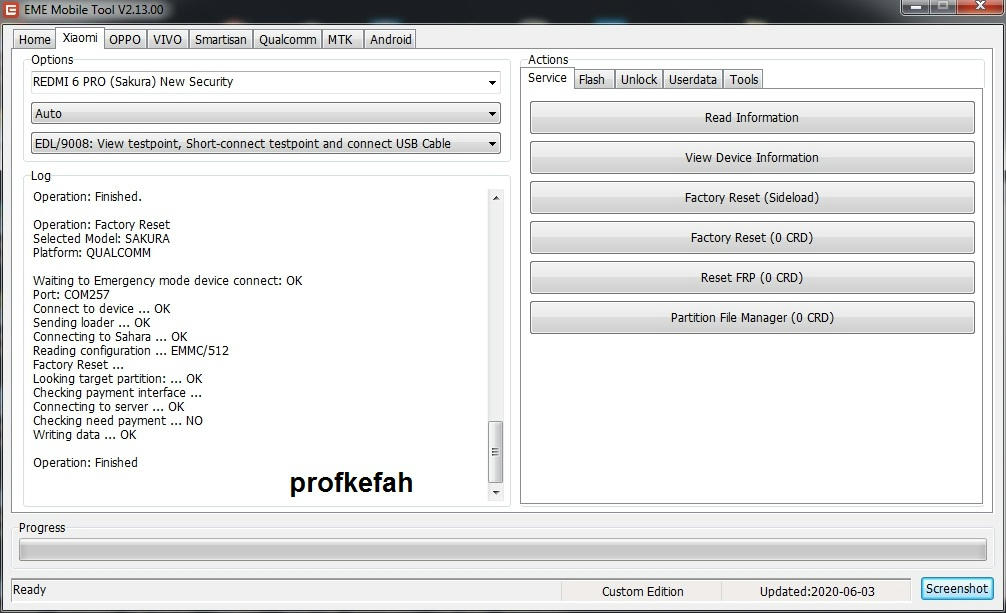
Operation: Factory Reset
Selected Model: SAKURA
Platform: QUALCOMM

Waiting to Emergency mode device connect: OK
Port: COM257
Connect to device ... OK
Sending loader ... OK
Connecting to Sahara ... OK
Reading configuration ... EMMC/512
Factory Reset ...
Looking target partition: ... OK
Checking payment interface ...
Connecting to server ... OK
Checking need payment ... NO
Writing data ... OK

Operation: Finished


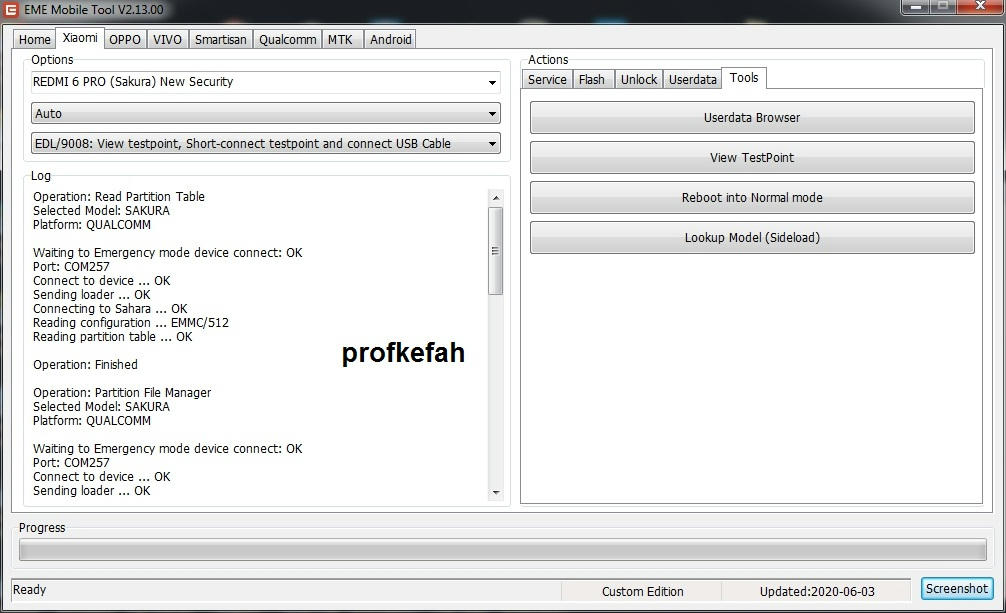
Operation: Read Partition Table
Selected Model: SAKURA
Platform: QUALCOMM

Waiting to Emergency mode device connect: OK
Port: COM257
Connect to device ... OK
Sending loader ... OK
Connecting to Sahara ... OK
Reading configuration ... EMMC/512
Reading partition table ... OK

Operation: Finished

Operation: Partition File Manager
Selected Model: SAKURA
Platform: QUALCOMM

Waiting to Emergency mode device connect: OK
Port: COM257
Connect to device ... OK
Sending loader ... OK
Connecting to Sahara ... OK
Reading configuration ... EMMC/512
Partition File Manager ...
Reading partition table ... OK
Analytical partition type ... OK
Checking payment interface ...
Connecting to server ... OK
Checking need payment ... NO
Starting PFM ... OK

Operation: Finished

Operation: Erase Partition
Selected Model: SAKURA
Platform: QUALCOMM

Waiting to Emergency mode device connect: OK
Port: COM257
Connect to device ... OK
Sending loader ... OK
Connecting to Sahara ... OK
Reading configuration ... EMMC/512
Erasing partition ...
Checking payment interface ...
Connecting to server ... OK
Checking need payment ... NO
Erasing [0] misc ... OK
Erasing [0] userdata ... OK

Operation: Finished

Operation: Reboot into Normal
Selected Model: SAKURA
Platform: QUALCOMM

Waiting to Emergency mode device connect: OK
Port: COM257
Connect to device ... OK
Sending loader ... OK
Connecting to Sahara ... OK
Reading configuration ... EMMC/512
Rebooting into Normal ... OK

Operation: Finished



.gif)


 ازالة قفل النمط لهاتف meizu note 8 m822h بوضع EDL

 رد مع اقتباس

.gif)


.gif)


.gif)


المفضلات