


 panasonic p101 frp file Free
in the name of allah the most merciful and compassionate
Welcome to all members of Gem Flash
How to Remove FRP Panasonic P101
first download flash file and sp flash tool from given link below this post
after download flash file and flash tool
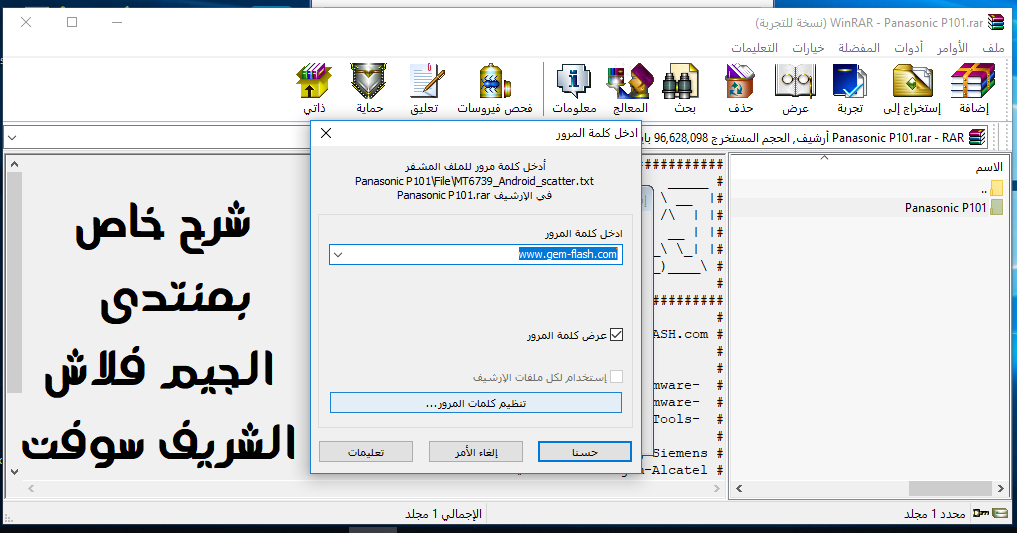
extract (panasonic p101.rar)
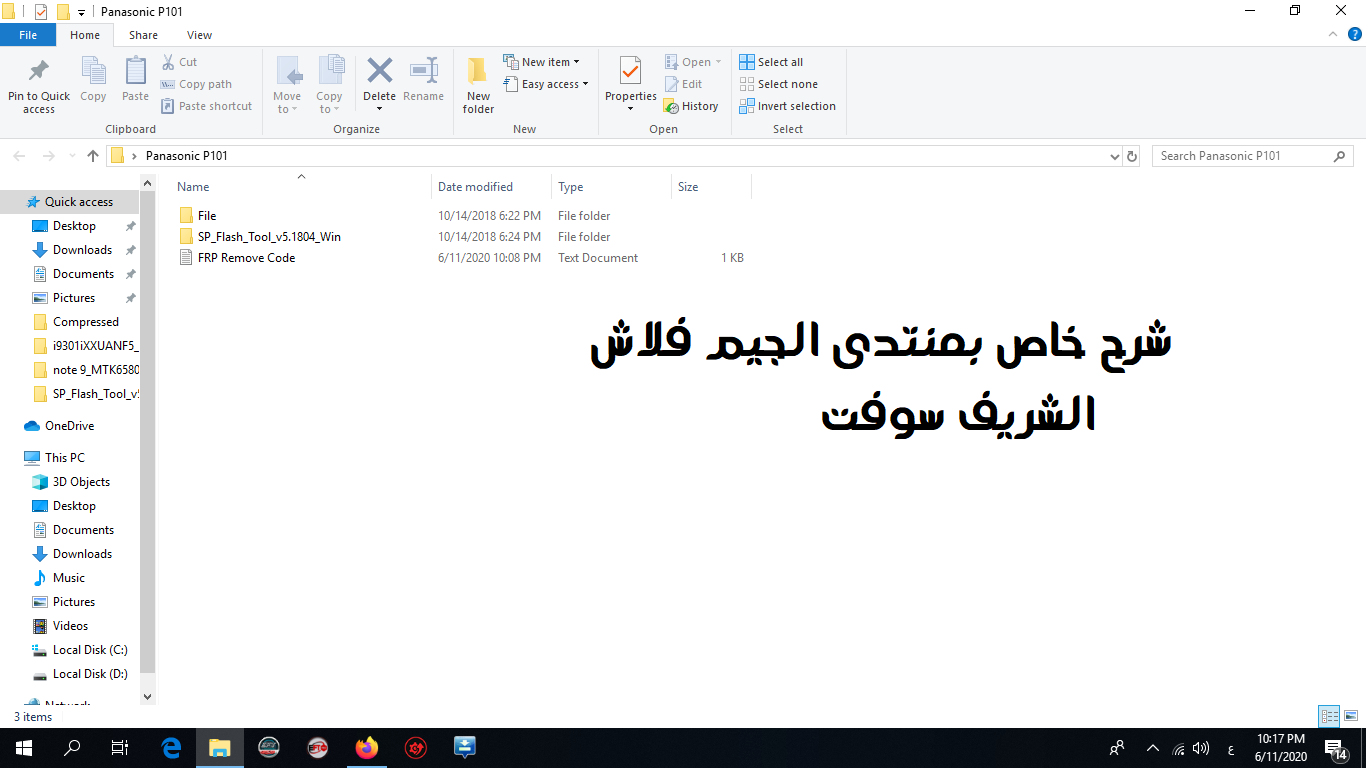
after extracting you will get 2 folder SP_Flash_Tool_v5.1804_Win | File | FRP Remove Code.txt
now open "SP_Flash_Tool_v5.1804_Win" folder
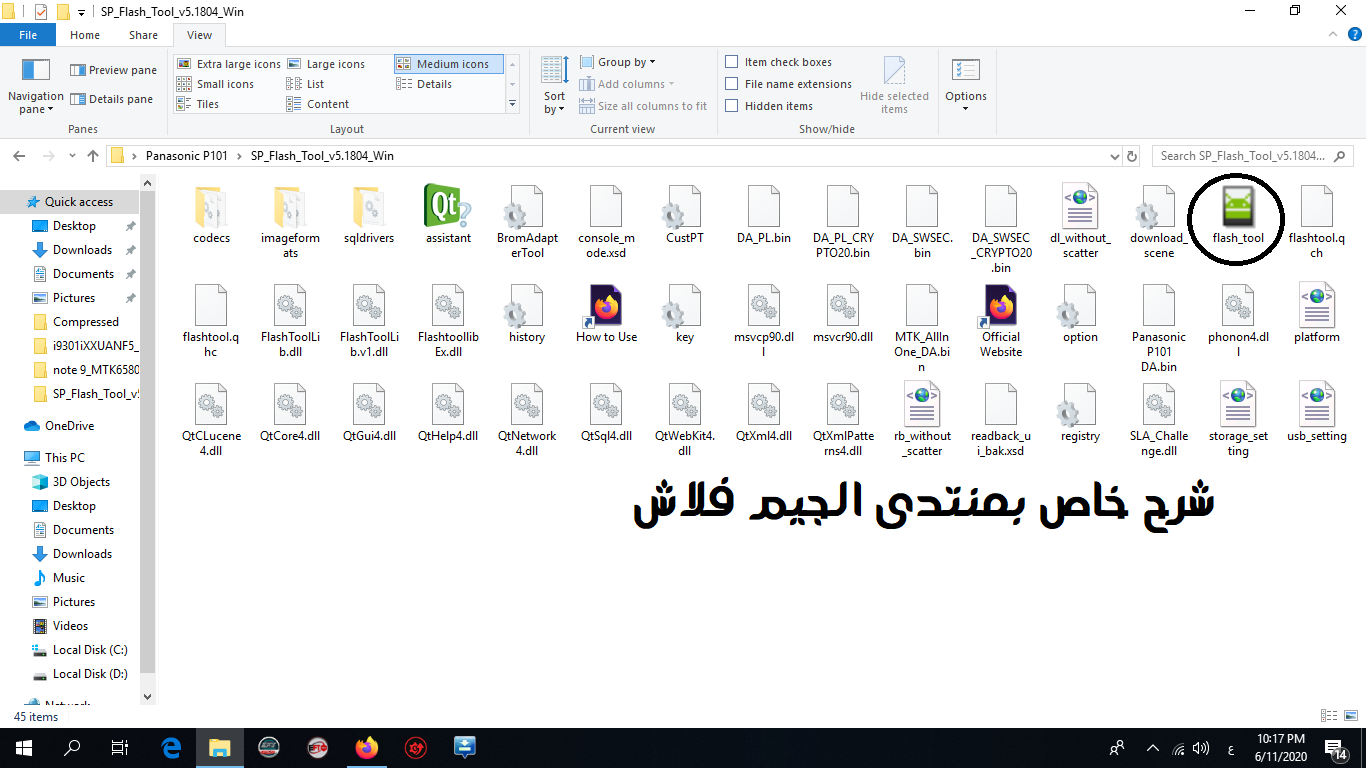
after opening "SP_Flash_Tool_v5.1804_Win" folder right click on flash_tool.exe then click run as administetor see the image below
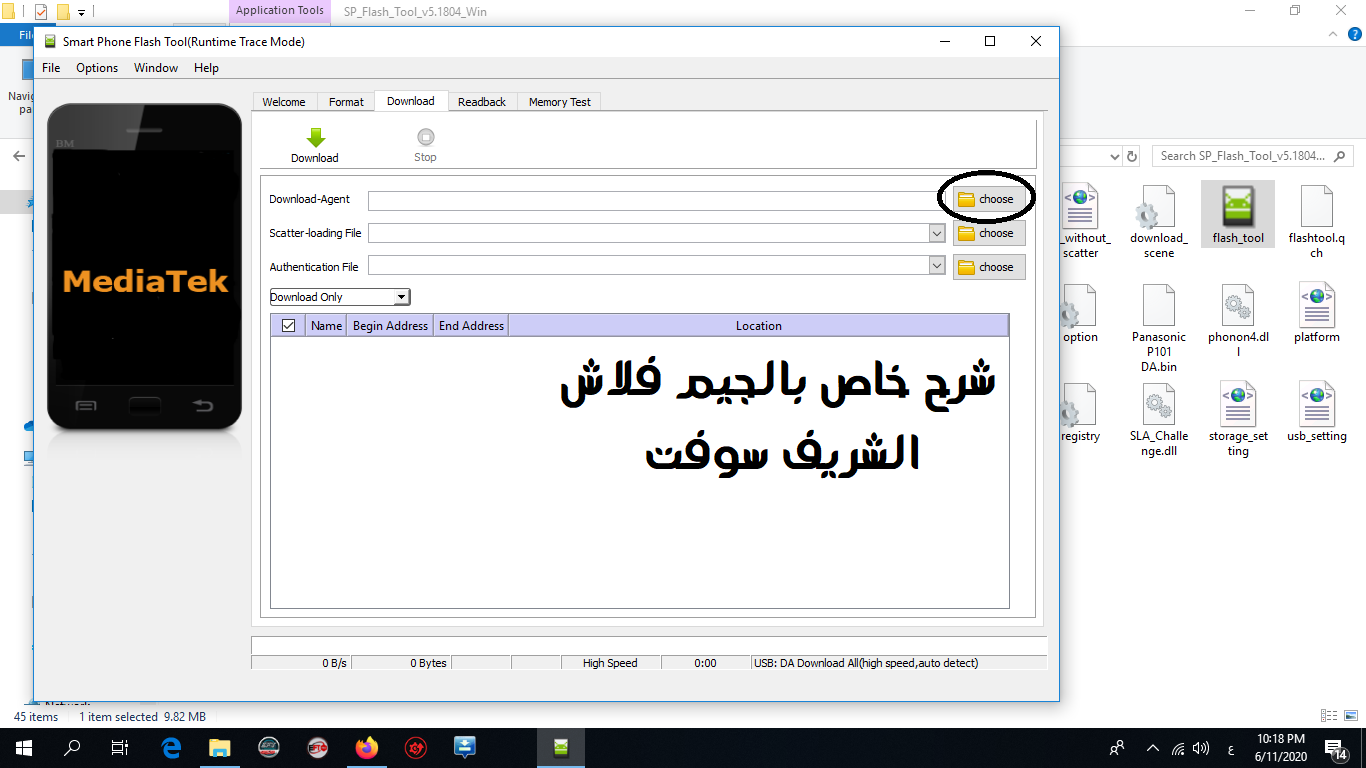
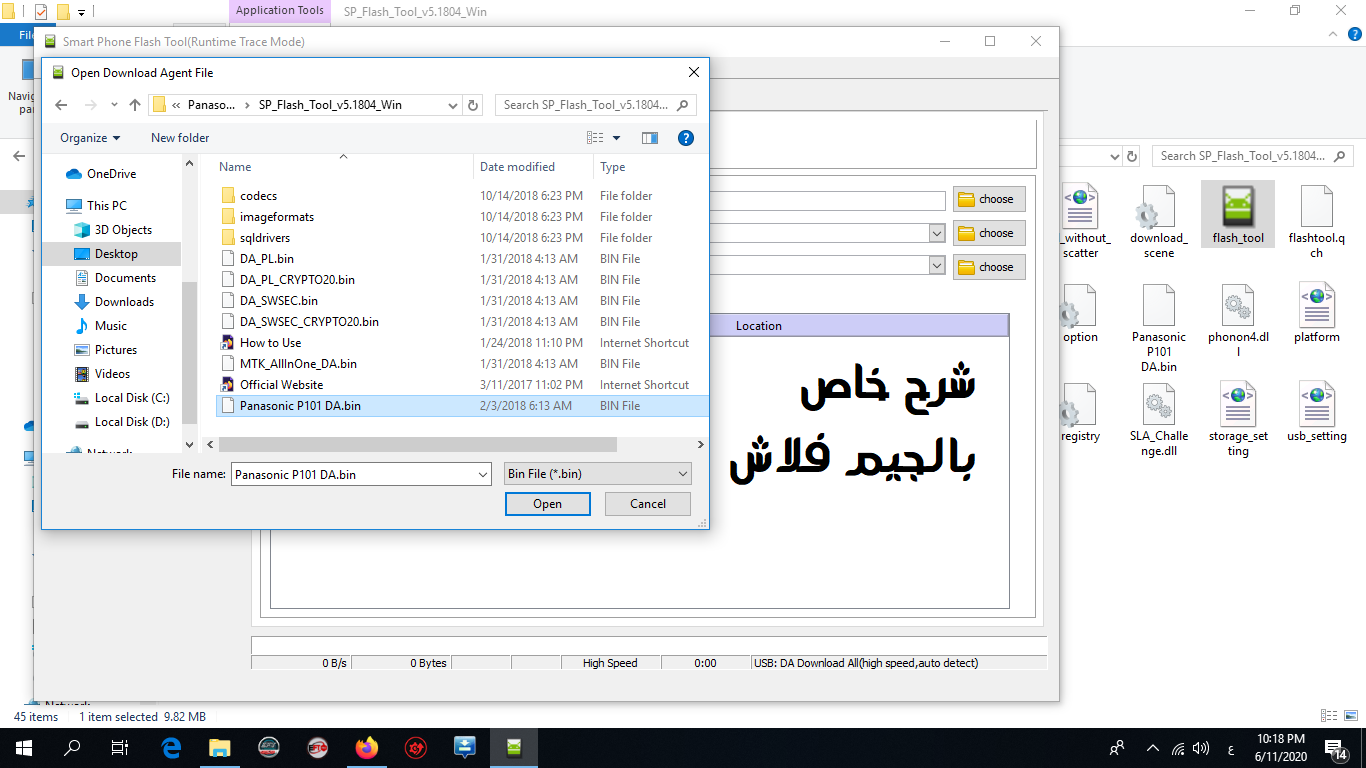
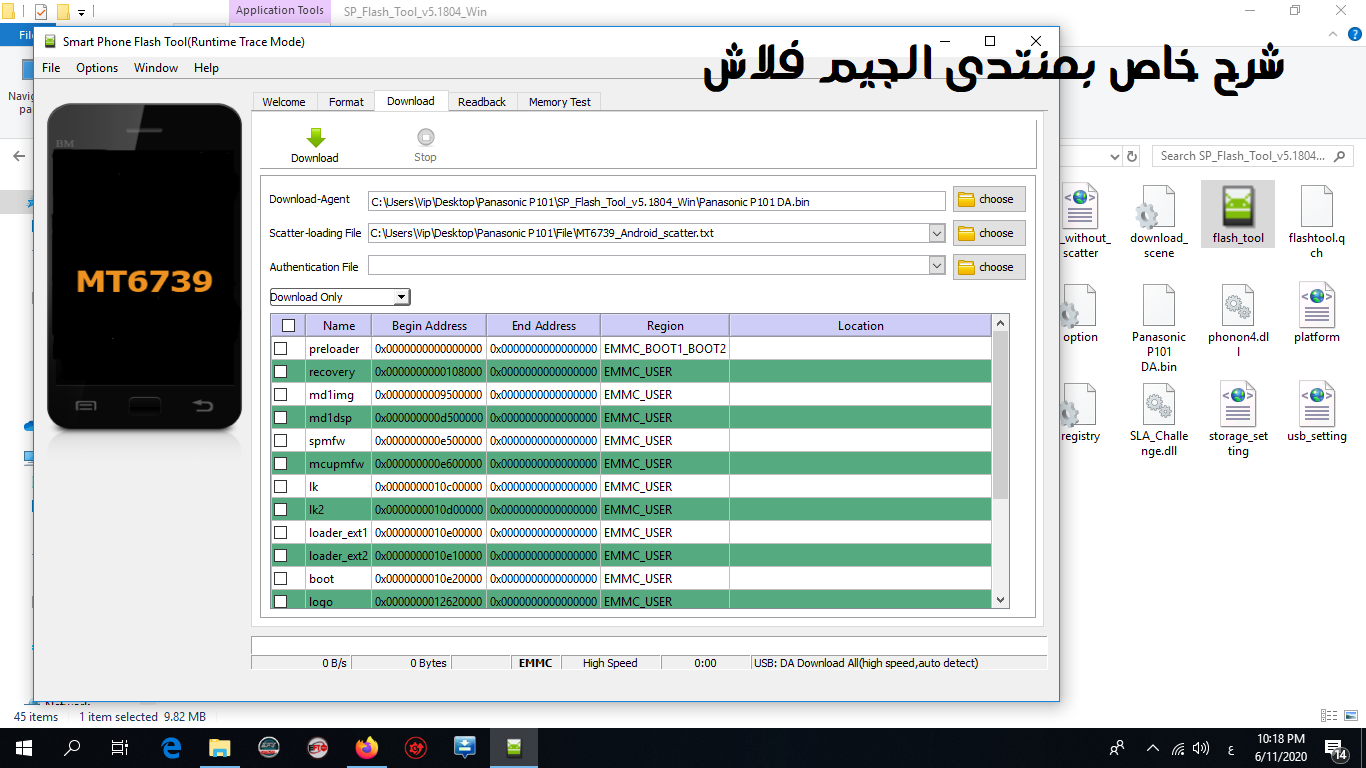
after opening flash tool.exe select download agent file click on the choose option. see the image below
And then Select [ Panasonic P101 DA.bin ] which is in "SP_Flash_Tool_v5.1804_Win" folder. see the image below
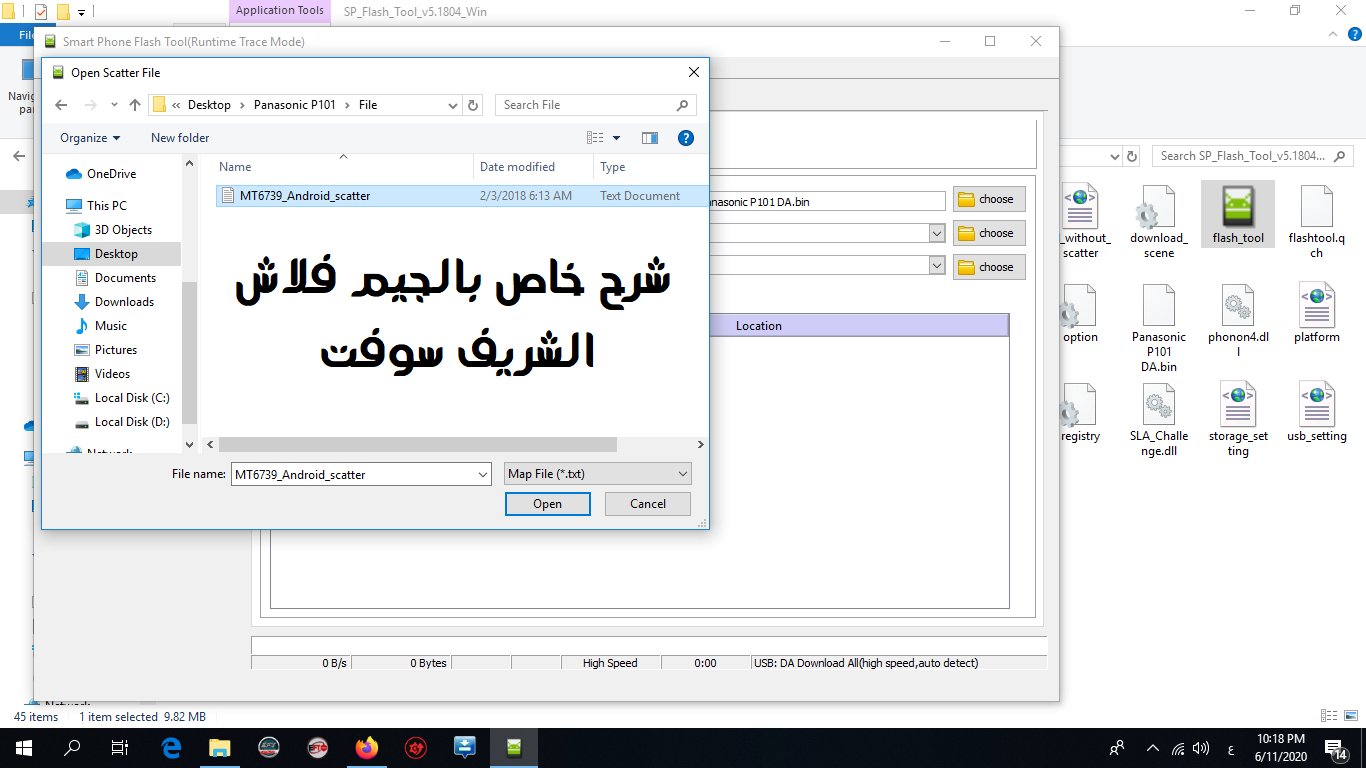
. Now Click on the choose option which is are avalable in front of the scatter lodding file. see the image below
And then select scatter file from "Scatter File" folder which is name "MT6739_Android_scatter" see the image below
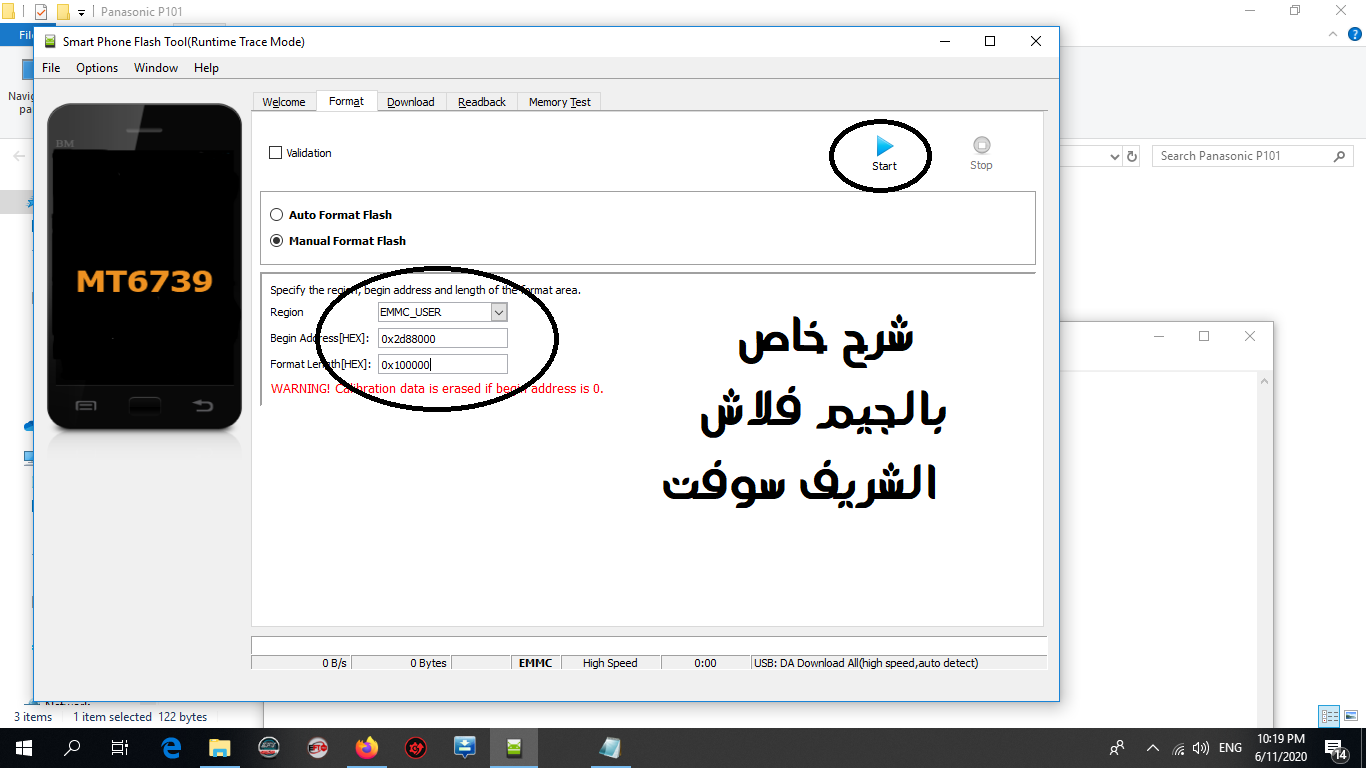
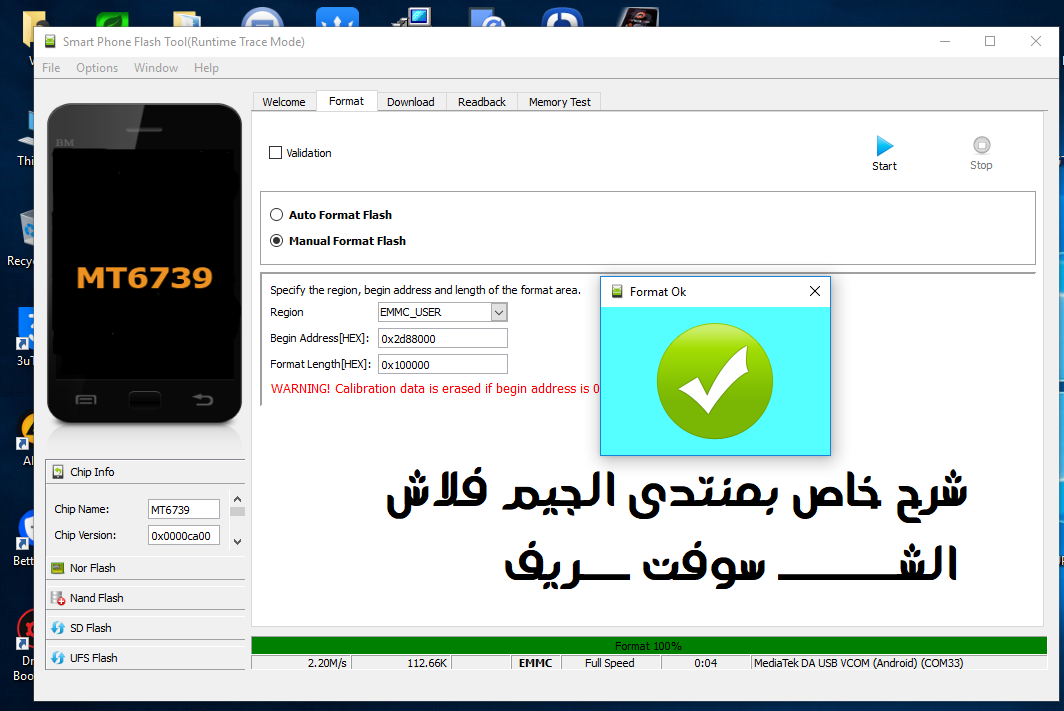
Now click on the format tab then click on manual format flash then enter begin address [Hex] & format length [Hex] code which is are available in FRP Remove Code.txt File.after that click on start see the image below
Now connect your phone with PC in a power-off state
After Successfully format your phone you will get a message from flash_tool_.exe [ Format OK ] see the image below
Now download time
from here

 رد مع اقتباس


المفضلات