


Step Six
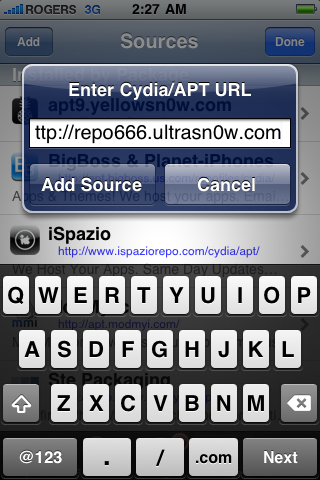
Enter http://repo666.ultrasn0w.com/as the source url and press the Add Source button.
Step Seven
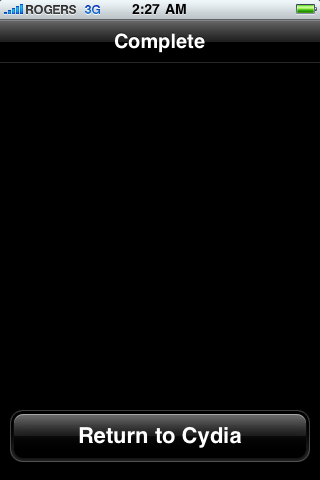
Once the source has been added press the large Return to Cydia button.
Step Eight
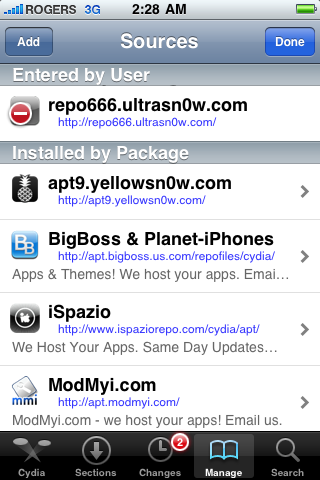
Press the Done button at the top right of the screen.
Step Nine
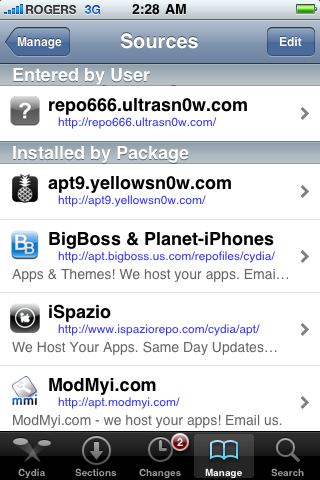
Press to select repo666.ultrasn0w.com from the list of user entered sources.

 رد مع اقتباس


المفضلات