بسم الله الرحمن الرحيم
نوضح اليوم طريقه عمل روت للهاتف سامسونج S9 - S9+ معالج اكسينوس
الطريقه منقوله للافاده ان شاء الله
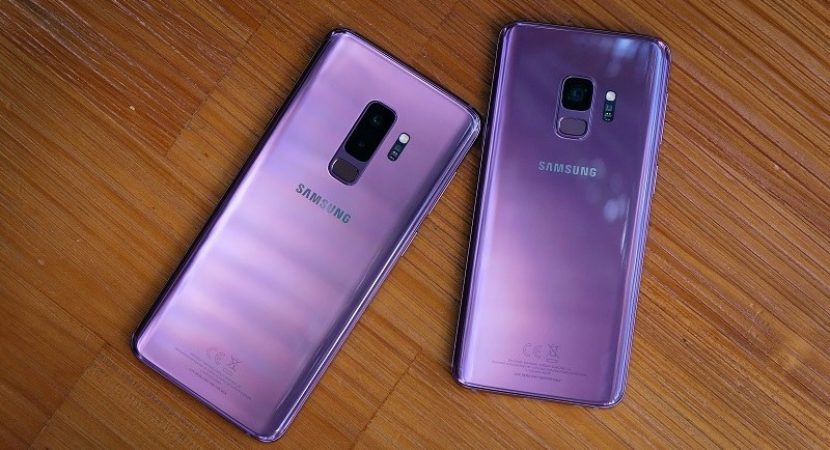
For those of you who want to root your Samsung Galaxy S9 & S9 Plus, here’s a step-by-step tutorial on how to do it.
This root method supports:
- Galaxy S9: SM-G960F, SM-G960F/DS, SM-G960N
- Galaxy S9 Plus: SM-G965F, SM-G965F/DS, SM-G965N
DOWNLOAD:
HOW TO ROOT:
Step 1: Rooting involves wiping data, which will ERASE EVERYTHING on your internal storage. If you have important stuff to backup, back it up now.
Step 2: Go to Settings->About Phone and check your S9 or S9 Plus model number. Make sure it is one of the supported models.
Step 3: Next, tap on “Software Information” and tap on “Build number” about 5 times until it says you are a developer. Tap on the back button twice, then tap on “Developer options”.
Step 4: Tap on the back button twice, then tap on “Developer options”. If you have had your phone for 7 days(since first time you turn on Developer options) you will see “OEM Unlock” option, turn it ON. If you don’t see it, come back in exactly 7 days late
.

Step 5: Power off your S9 or S9 Plus then hold down Volume Down, Bixby, and Power buttons for about 5 seconds until you see a warning screen. After you hit the Volume Up button to put into “Download mode” then connect a USB cable from your phone to a Windows computer.
Step 6: Make sure you have downloaded all the files. Unzip the ODIN zip file FIRST then run the ODIN EXE program. Next, choose “AP”, and choose the TWRP recovery file you downloaded earlier. Hit “Start” and immediately after your phone reboots(screen goes blank) hold down Volume Up, Bixby, and Power buttons together for about 5 seconds until device in TWRP Mode.
Step 7: Once booted into TWRP, choose “Keep Read Only”. Format data using the Wipe menu. Reboot into recovery using the Recovery menu. Choose “Keep Read Only”.
Step 8: Copy over the files shown below over to your S9 or S9 Plus.
Step 9: Alternate Install No Verify Encrypt zip file using Install menu then RMM State Bypass zip file and SuperSU and Samsung Anti Root zip
Step 10: Reboot and you should see welcome screen like below after about 5 minutes. Once signed in, you should see SuperSU app in your app drawer. SUSCESS!
الطريقه مجربه 100% يرجي تنفيذ الخطوات بالتركيز
الروت يفقد الضمان للهاتف ويقوم بتحريك عداد النوكس مما يسبب مشاكل في عمليات الانلوك
بالتوفيق للجميع 



.gif)


 طريقه عمل روت للهاتف سامسونج S9 - S9+ معالج Exynos


 رد مع اقتباس

.gif)


المفضلات