


 Samsung Full Firmware Download Procedure Using Samfirm
Samsung Full Firmware Download Procedure Using Samfirm
Here is the Procedure to Download the Samsung latest Full Firmware's (Please understand that this tool can only download latest firmware)
Download
SamFirm_v0.3.6.zip
Steps
1:Type model number in Model Tab EX: SM-N910G
2:Type which Region firmware you Need Ex:INU/INS. Click Here to Region list
.To Know your mobile Region
2.1: Download Smart switch in you Pc
2.3:Select Emergency Software Recovery And Initialization
2.4:Go to Device Initialization
2.5:Type your model number Ex- SM-N910G and search
2.6:Enter the Serial Number of your Device
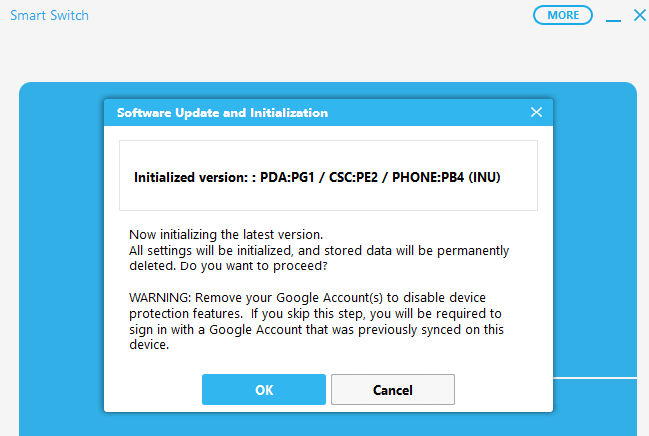
2.7:There you can see your Device Region
4:Check Binary Nature
5:Check Update
6:Check Crc32 and Decrypt automatically box
7:Click Download and save the file
8:After Download Extract via 7zip.(Winrar gives error)
Done Enjoy


 رد مع اقتباس


المفضلات