


 تم فك شفرة lumia 610 على atf jtag
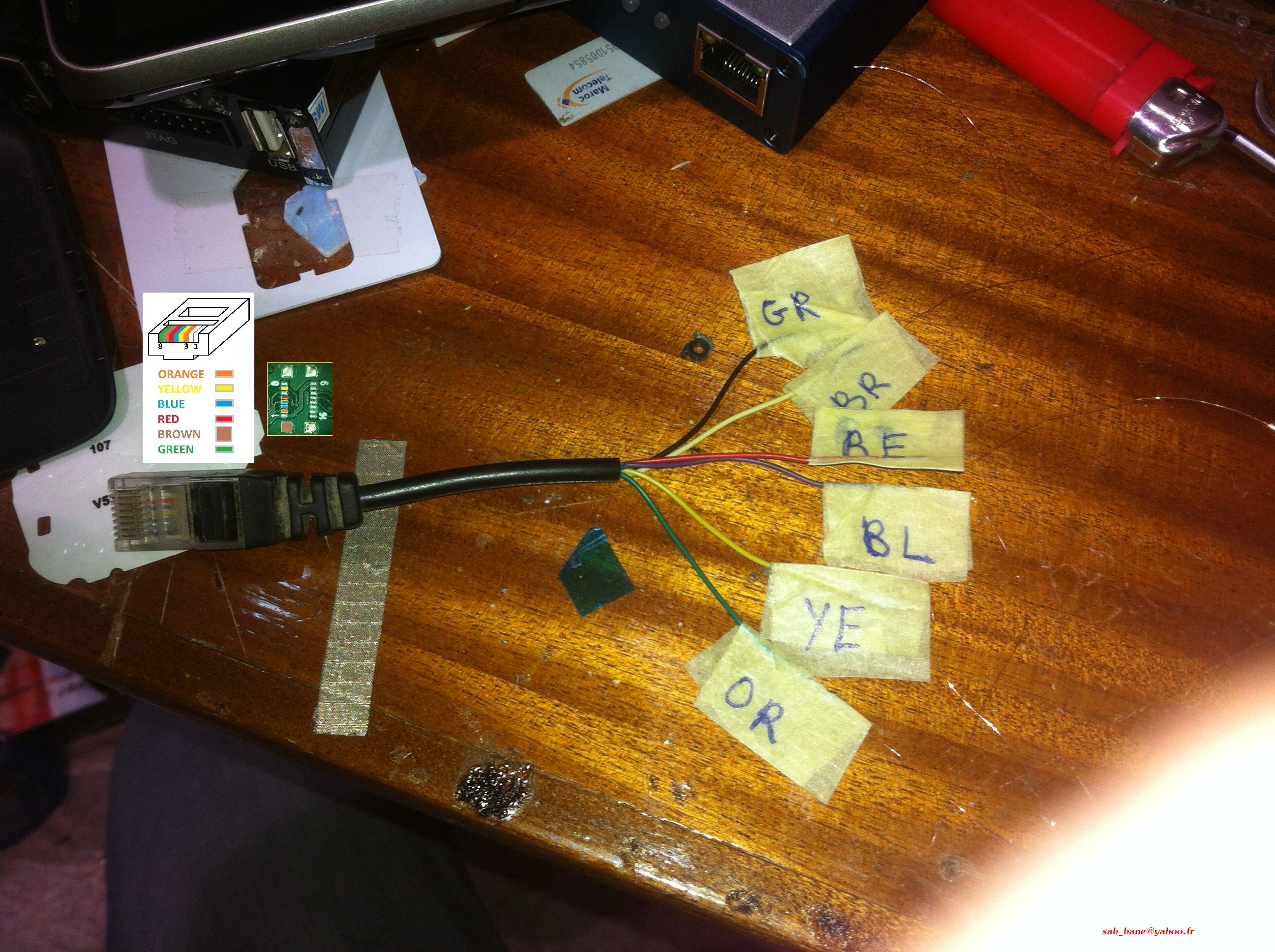
أولا نحتاج لكابل F-Bus و ليكن مثلا 6120c أو اي نوع أخر و نقوم بالعد من اليمين إلى اليسار من رقم 8 ألى الرقم 3 ......
العملية موضحة بالصورة التالية
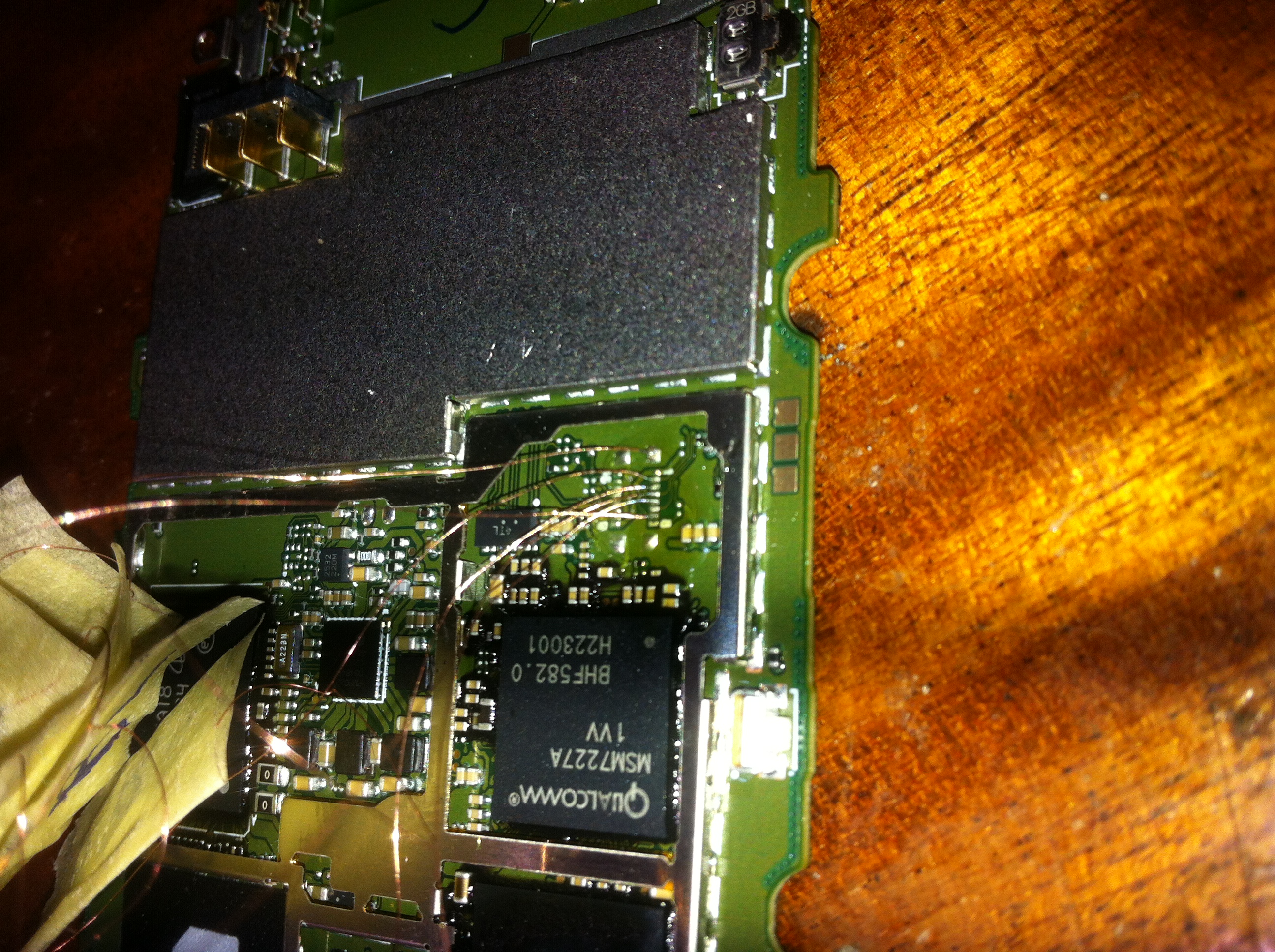
و هذه صورة بعد تلحيم الأسلاك ...................
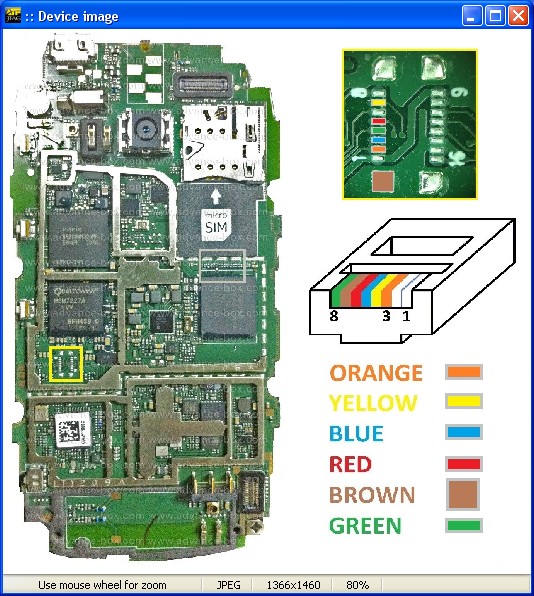
و هذه التست بوانت للهاتف
لوغ العملية
Loading AFP (Please Wait)...OK
AFP revision 4, compiled 28/11/2013 20:01:00
==========================================================
Phone Type : Lumia 610 RM-835 - Supported
: Lumia 610 RM-849 - Supported
: Lumia 610C RM-836 - Supported
: Lumia 510 RM-889 - Supported
: Lumia 510 RM-898 - Supported
: Lumia 505 RM-923 - Supported
Unlock Type : Read PIN and PUK Unlock Codes
Other Notes : Disconnect USB Cable before Reading Codes
==========================================================
1. Make sure JTAG Connection is 100% OK
2. Always Disconnect the Phone BATTERY
3. Connect RJ-45 JTAG Cable to ATF Box
4. Disconnect USB Cable from the Phone
5. DO NOT click RESET JTAG button
6. Click RESTORE BOOT button to Start Reading Unlock Codes
----------------------------------------------------------
Waiting for Device Connection 10 second(s)...Timeout During Operation!
Loading AFP (Please Wait)...OK
AFP revision 4, compiled 28/11/2013 20:01:00
==========================================================
Phone Type : Lumia 610 RM-835 - Supported
: Lumia 610 RM-849 - Supported
: Lumia 610C RM-836 - Supported
: Lumia 510 RM-889 - Supported
: Lumia 510 RM-898 - Supported
: Lumia 505 RM-923 - Supported
Unlock Type : Read PIN and PUK Unlock Codes
Other Notes : Disconnect USB Cable before Reading Codes
==========================================================
1. Make sure JTAG Connection is 100% OK
2. Always Disconnect the Phone BATTERY
3. Connect RJ-45 JTAG Cable to ATF Box
4. Disconnect USB Cable from the Phone
5. DO NOT click RESET JTAG button
6. Click RESTORE BOOT button to Start Reading Unlock Codes
----------------------------------------------------------
Waiting for Device Connection 10 second(s)...OK
Resetting and Exploring JTAG chain...OK
Halting Core...OK
Initializing Device...
Searching for PIN/PUK Unlock Codes...
Please wait for a while...
Codes Found!
=========================
PIN Unlock Code: 25744389
PUK Unlock Code: 53521790
=========================
Reading Unlock Codes Done!
============================================================================
1. Remove JTAG Connection and Assemble Phone
2. Insert SIM Card from different Provider into the Phone
3. Power ON the Phone
4. Enter 8-digit PIN Code or 8-digit PUK Code when Phone Requires it
5. After Code is accepted, wait 30 seconds until Operator Signal Appears
Write Down 8-digit PIN CODE on a piece of paper and attach
it to the phone under the battery. This will allow the owner
of the phone to unlock this phone again if he will flash the
phone firmware in the future.
============================================================================
All Done!OK


 رد مع اقتباس


.gif)


المفضلات