


3g نوع الموبايلالمشاركة الأصلية كتبت بواسطة mena abdalla


 رد: Re: رد: حصريا على الجيم فلاش وبس فك شفرة الايفون ال 3G&3GS 4.1
3g نوع الموبايل


 رد: Re: رد: حصريا على الجيم فلاش وبس فك شفرة الايفون ال 3G&3GS 4.1
Step 9: (This step for iPhone 3G, and iPod touch 2G [MB] only) Launch iReb (to bypass iTunes errors) and choose “Online Mode” then choose your device
Put your iPhone in DFU mode by following this step:
- Turn iPhone off.
- Hold Power and Home buttons together for 10 seconds or so.
- Release Power button but keep holding the Home button until your computer recognizes a new USB device.
- iTunes will now recognize your iPhone
Step 10: Now, You will have to restore your iPhone to the jailbroken custom firmware by Clicking on the iPhone icon on the left sidebar of iTunes then hold left “alt” button (“Shift” button on Windows) on the keyboard and then click on “Restore” then release the alt button, Now Select the custom firmware created by Sn0wbreeze and Let iTunes go in a bunch of steps.
Step 11: Sn0wbreeze doesn't upgrade your baseband and will never do, so you can use Ultrasn0w 1.0 to unlock your iPhone by following the step by step guide
تقريبا الشرح واضح اعمل نفس الخطوات واخبرنا بنتيجة

 رد مع اقتباس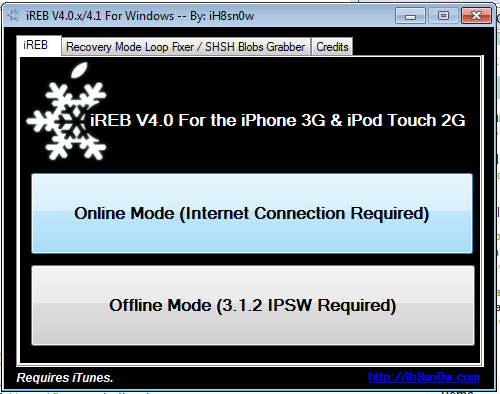


المفضلات